Seat Layout Builder
Easiest way to create your Seat Layout
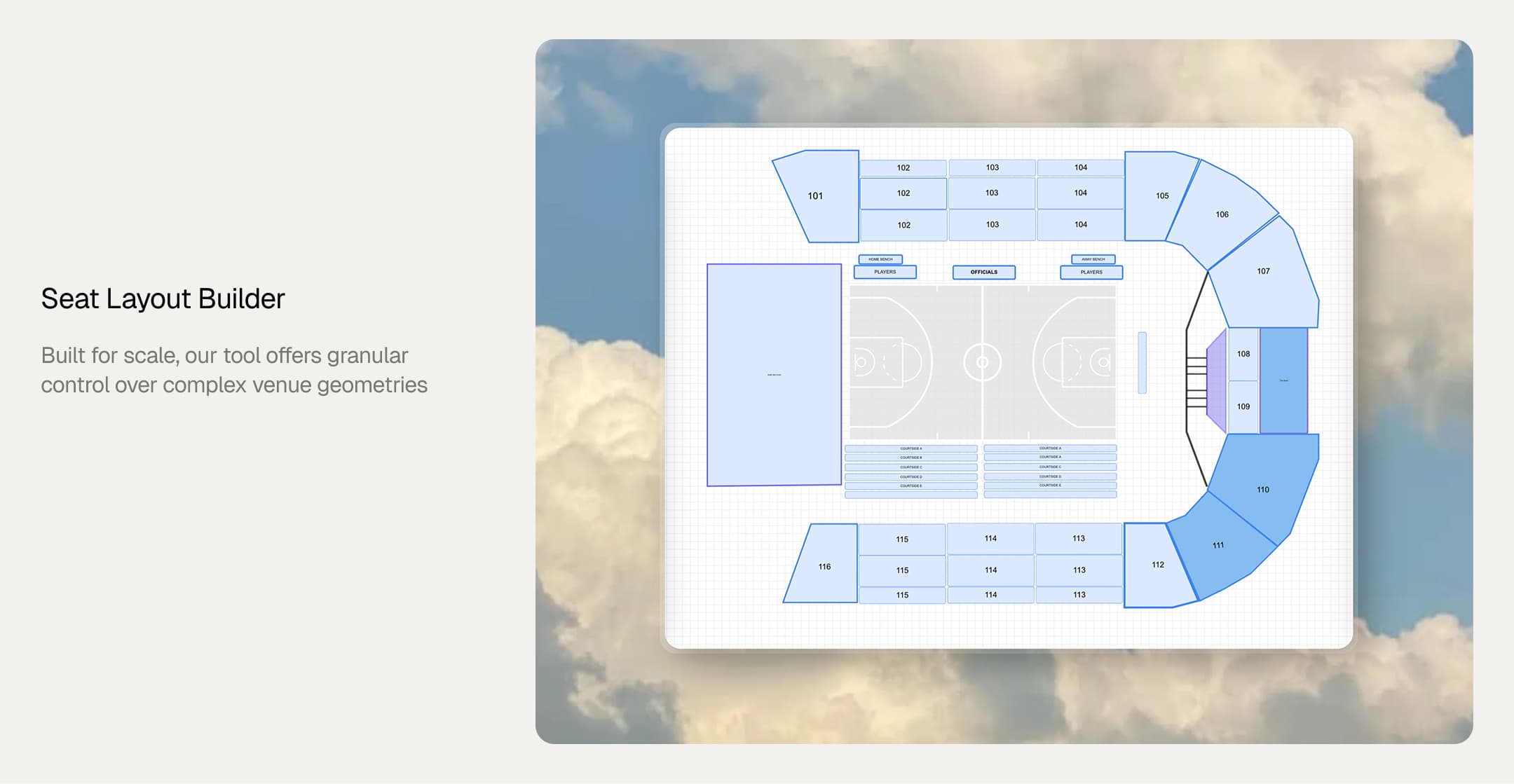
We have developed a high-performance, in-house seat layout builder designed to eliminate recurring licensing fees while maintaining professional-grade flexibility. Built for scale, our tool offers control over complex venue geometries.
Features
1. Visual Canvas-Based Seat Layout Editor
Create and edit layouts with tools for straight and curved (arc) rows, individual seats, tables with surrounding seats, and multi-row creation. Includes section boundaries and standing sections, shapes, text, images, and paths. Features properties panels for customization, undo/redo, copy/paste, and SVG import/export.
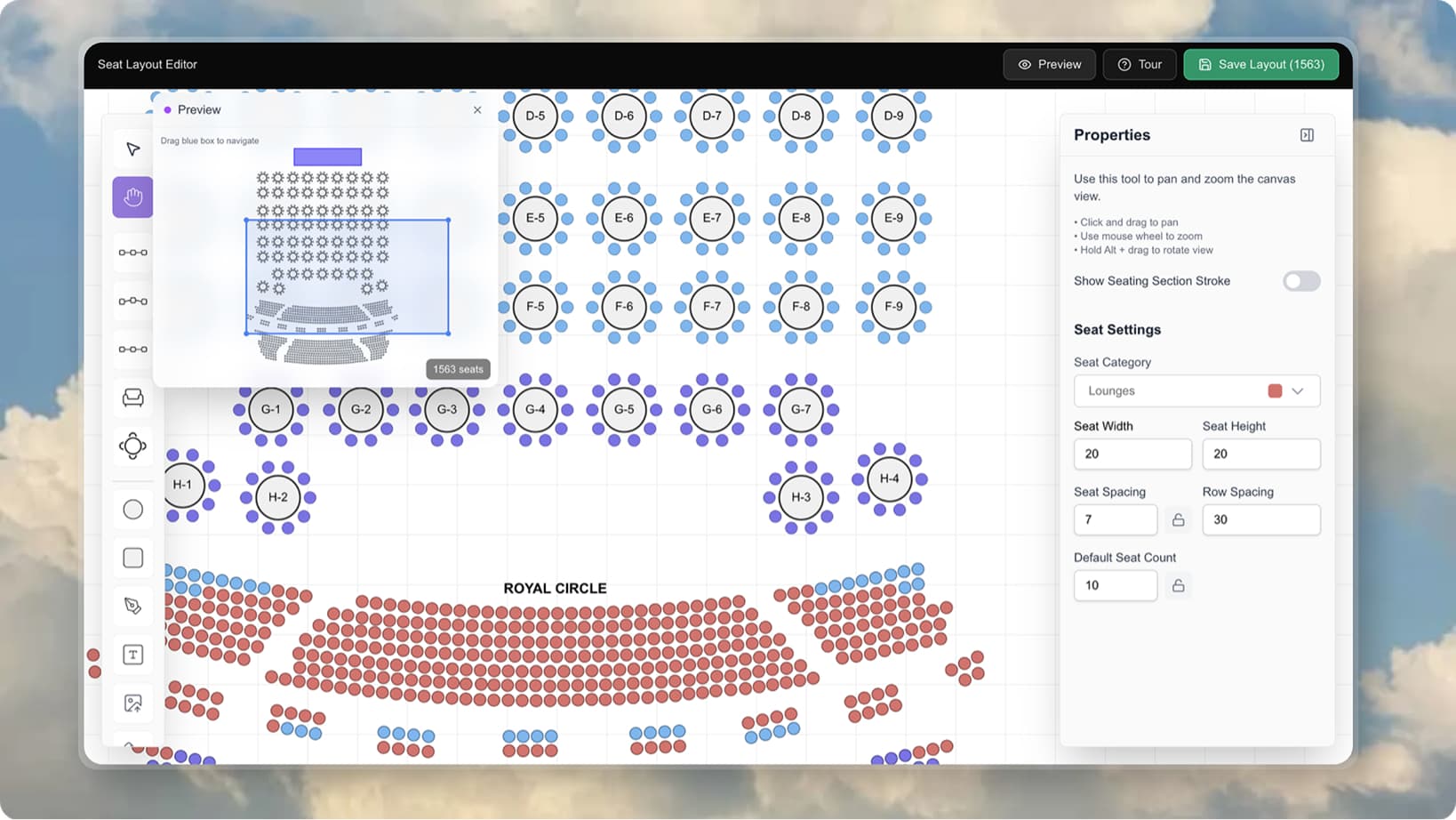
2. Interactive Real-Time Seat Selection Viewer
Customer-facing viewer with live seat availability, click-to-select functionality, zoom and pan controls, and color-coded seat types. Supports standing section ticket purchasing, seat preview/mini-map, and performance optimizations including viewport culling and FPS monitoring.
3. Advanced Geometry & Flexible Layout System
Curved row geometry with arcs featuring configurable radius and angles, section boundaries with custom paths, and automatic seat naming and labeling. Includes category management for seat types, support for complex venue layouts (stadiums, theaters, event spaces), and background image support for visual context.
These features enable creating complex venue layouts and providing an interactive seat selection experience for customers.
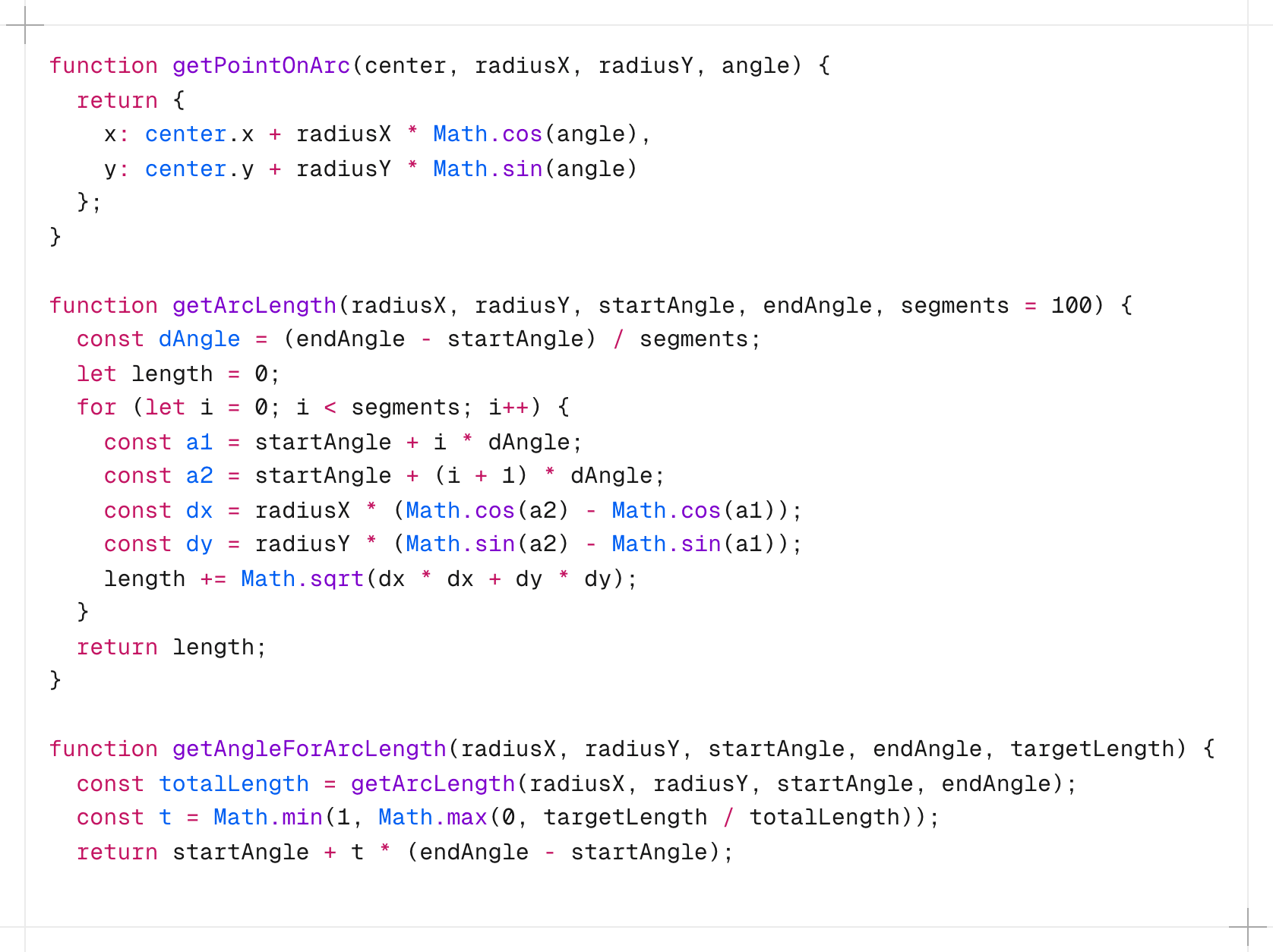
Geometry Engine Deep Dive
The geometry engine is the core computational layer that transforms abstract layout parameters into precise seat positions. It handles complex mathematical operations to ensure accurate placement across diverse venue shapes, from straight rows to complex curved sections.
Arc-Based Row Calculations
Arc-based rows require converting angular parameters into Cartesian coordinates. Each curved row is defined by a center point, radius, start angle, and end angle. The engine calculates seat positions by dividing the arc's angular span into equal segments based on the number of seats.
The fundamental calculation uses parametric equations where each seat position is determined by its index along the arc. For a seat at position i in a row with n seats spanning from angle θ₁ to θ₂, the angle is calculated as:
θᵢ = θ₁ + (θ₂ - θ₁) × (i / (n - 1))The Cartesian coordinates are then derived using:
x = centerX + radius × cos(θᵢ)y = centerY + radius × sin(θᵢ)
This approach ensures uniform angular distribution, which is critical for maintaining visual consistency in curved sections. The engine also handles edge cases like single-seat rows and arcs spanning more than 360 degrees.
Seat Spacing Along Curves
Maintaining consistent physical spacing along curved paths requires arc length calculations rather than linear distance. The engine computes the total arc length using L = radius × (θ₂ - θ₁) and divides it by the desired seat spacing to determine the number of seats.
For non-uniform spacing requirements, the engine supports configurable spacing profiles. Each seat's position is calculated using cumulative arc length, ensuring that the physical distance between adjacent seats matches the specified spacing parameter, accounting for the curvature of the path.
The spacing algorithm also handles variable radius scenarios where rows may have changing curvature. In such cases, the engine uses piecewise arc calculations, maintaining spacing consistency across radius transitions.
Rotation and Alignment Logic
Each seat must be oriented correctly relative to its position on the curve. The rotation angle for a seat at angle θ is calculated as θ + 90° to ensure seats face the center of the venue (typically the stage or field).
For straight rows, rotation is straightforward seats align perpendicular to the row direction. For curved rows, the rotation varies continuously along the arc, with each seat rotated to face the arc's center point.
The alignment system also handles special cases:
- Seats at row boundaries may require adjusted rotation to prevent awkward angles
- Corner seats in L-shaped or irregular sections use weighted rotation based on adjacent row segments
- Standing sections use vertical alignment calculations independent of horizontal rotation
Rotation calculations use normalized angle values (0-360°) internally, with conversion to radians for trigonometric functions. The engine caches rotation values to avoid redundant calculations during rendering.
Scale & Performance Numbers
Built to handle enterprise-scale venues with thousands of seats while maintaining smooth interactivity.
- Handles 10,000+ seats in a single venue layout
- Maintains 60 FPS during pan/zoom operations on desktop
- Targets 30+ FPS on mobile devices during interactions
- Viewport-based rendering ensures only visible seats are processed
- Memory-efficient strategies prevent browser crashes on large layouts
- Load time improvements of 70%+ compared to previous rendering approaches
This approach allows fine-grained interactivity without sacrificing performance, enabling smooth experiences even with complex stadium layouts.